TextClipper is currently a free download while in public beta. No trial
timers, just launch and start capturing.
If you can see it, you can copy it.
TextClipper captures text you can't select: videos, PDFs, slides, images. Nothing on this screen is selectable either, so try it right here.
Download for macOSFree to download during beta. Works on macOS Sonoma and newer, optimized for Apple silicon.
By downloading, you agree to our Terms and Privacy Policy.
Drag a box over any text on this screenTap any window on this screen
function greet(name) {
return `Hello, ${name}!`;
}
greet("world");
4.2 ConfidentialityEach party shall keep the terms of
this agreement confidential and shall not disclose them to any third
party without prior written consent.
 A QR code on
screen
Clipboard
Nothing copied yetWhatever you capture above lands here, and on your real clipboard.
Work with TextClipper in three steps
-
Start
Press ⌘ ⇧ 8 or select “Capture Screenshot” from the menu bar.
-
Clip
Drag to select the area containing the text you need. TextClipper recognises it instantly.
-
Paste
Paste it anywhere: notes, code editors, or apps. Your clipboard always stays in sync.
Extract text from anywhere
Instantly capture non-selectable text from YouTube videos, PDFs, images, online courses, screencasts, presentations, webpages, video tutorials and photos. It's as simple as taking a screenshot.
- Instant clipboard copy
- TextClipper performs OCR locally and copies the result instantly. Paste into notes, docs, emails, or code.
- Works offline
- Everything runs on-device, which is ideal for confidential information, secure documents, or low-connectivity environments.
- QR and barcode decoding
- Scan on-screen QR codes or barcodes instantly to extract URLs, contact info, or payload data you can paste anywhere. It works offline too.
- AI-Enhanced OCR
- Call on powerful AI models when you need to parse complex layouts, mixed languages, or handwritten notes. It works with your own OpenAI or Google Gemini API keys, so you stay in control of your data.
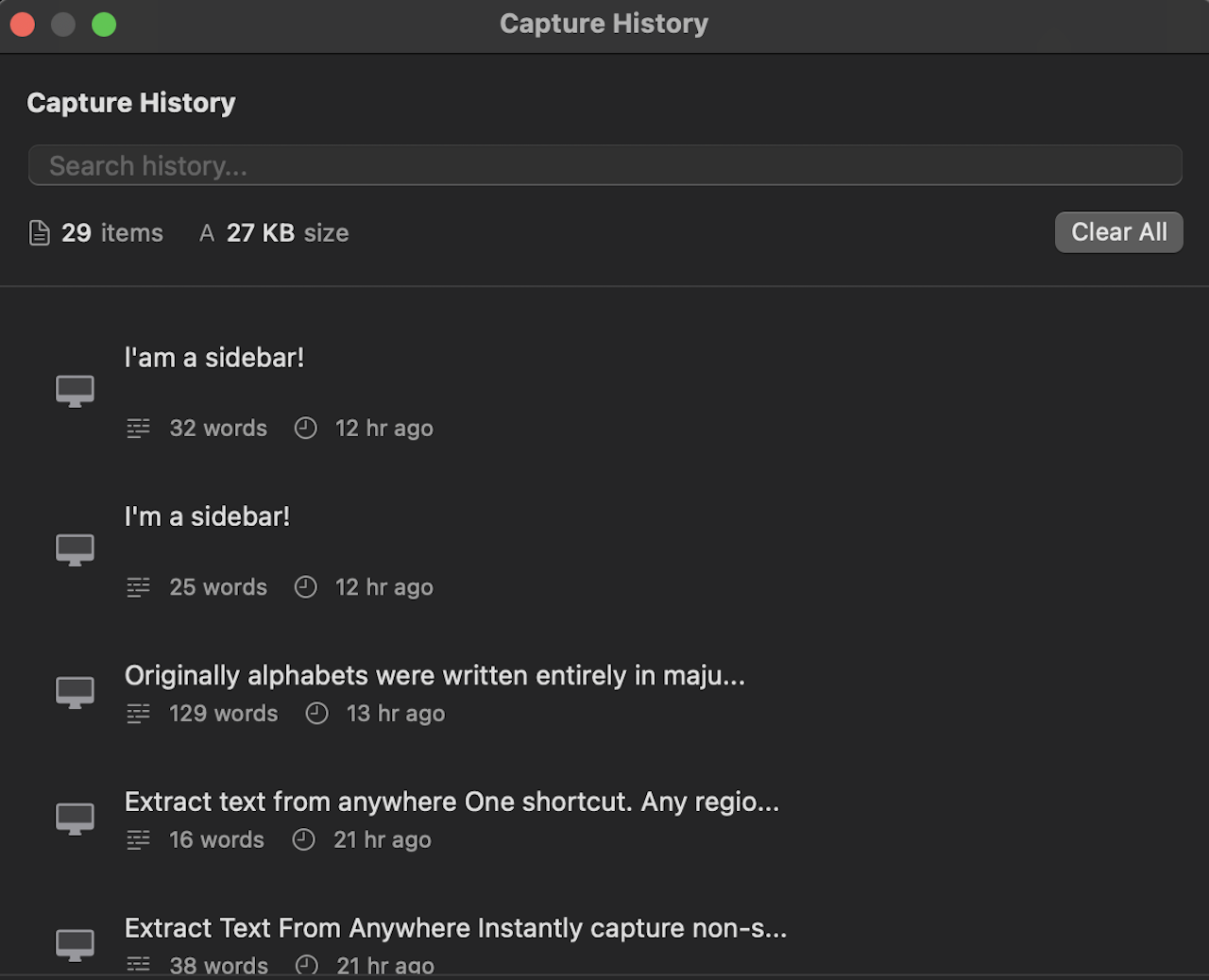
- Capture History and iCloud Sync
- Keeps every clip searchable for 30 days and syncs across your Macs via Apple iCloud. Your data is end-to-end encrypted before syncing. No one has access to your history, not even us.
- Additive Clipboard
- Append every new clip to your clipboard instead of replacing it, then paste several quotes, code blocks, or data points in one go. Press ⌥ while capturing to append just one selection.
- Built for focus
- Lives quietly in your menu bar with a customizable shortcut. No docks, no pop-ups, just fast captures.
Swift and reliable
Fewer keystrokes, more masterpieces.
“TextClipper saves me hours every week. Extracting quotes from videos and screenshots used to be a pain, now it's instant.”
 SarahContent Creator
“The ability to grab code snippets from tutorial videos directly into my editor without retyping is a game changer. Highly recommended.”
 DavidSoftware Engineer
“Perfect for online classes. I can capture important points from the professor's slides without missing a beat. It's my study superpower.”
 EmilyStudent
Beyond text recognition
Smart extras make TextClipper a powerful companion for busy workflows.
Language aware
Support spans English, Spanish, German, French, Italian, Portuguese, Traditional & Simplified Chinese, plus Japanese, Korean, Ukrainian, and Russian.
Shortcuts you control
Assign any hotkey that fits your muscle memory. TextClipper adapts to your flow.
Privacy by design
OCR happens locally, keeping customer data, graded papers, and internal docs secure.
Menu bar assistant
Stay focused with quick access tools, capture history, and text-to-speech toggles.
Frequently asked questions
TextClipper runs on macOS Sonoma (14.0) and above, and we actively tune
for the newest macOS updates.
Absolutely. Open the settings menu, choose “Configure Hotkey,” and set
the shortcut that fits your flow.
en-USEnglishfr-FRFrenchit-ITItaliande-DEGermanes-ESSpanishpt-BRPortuguese (Brazilian)ru-RURussianuk-UAUkrainian
Reach me anytime at
support@textclipper.app.
Ready to clip faster?
Download TextClipper free while we polish the next big update. No license required.
By downloading, you agree to our Terms and Privacy Policy.